Piclines · picture to lines
Image to DXF, in clean lines.
Drop a PNG, JPG or WebP. Piclines traces its shapes into lines at the size you set, and gives you a DXF — with a DWG and an SVG in the same download.
JPG, PNG, WebP or PDF · up to 20 MB · deleted after 24 hours

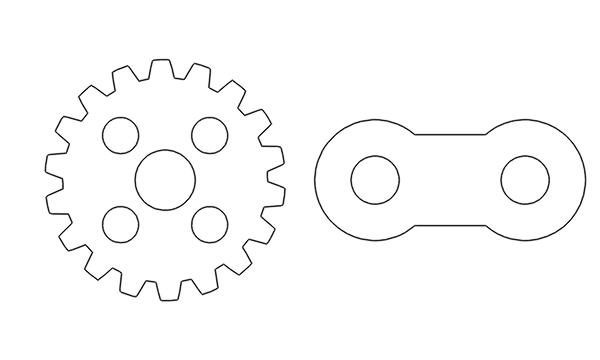
A real result: the picture traced as Shape, 180 mm wide. Nine closed outlines — the two parts and their seven holes.
From pixels to lines you can use
A picture is a grid of pixels; a CAD or laser program needs lines. Piclines finds the shapes in your image and draws them as polylines in a DXF file: few points on straight edges, smooth curves where the picture is round. Nothing is redrawn or guessed — what is in your picture comes out.
Choose what your picture is
- Drawing — plans, details, sketches, scans. Each stroke becomes one line along its middle, not two lines around it.
- Shape — logos, silhouettes, parts to cut. Each filled area becomes a closed outline, holes included.
- Colour — coloured maps and patterns. Each colour gets its own layer.
- Photo — a photo of a thing. The subject is cut out of its background first.
Piclines guesses the kind; one click changes it, and the preview runs again by itself.
At the size you need
A picture has no millimetres, so you give it one number: type the width, or click two points on the preview and enter the real distance between them. The DXF is drawn at that size, in millimetres.
Good to know
- Sharp, high-contrast pictures give the cleanest lines. A small, blurry image gives rounder corners.
- Lines come out as polylines; circles and arcs are polylines too, not true arcs.
- Your picture and the result are deleted after 24 hours. No picture goes to any other company.
More uses