Piclines · picture to lines
Photo to DXF, the object only.
Take a photo of a thing. Piclines cuts it out of its background, finds its edges and draws them as lines in DXF, DWG and SVG.
JPG, PNG, WebP or PDF · up to 20 MB · deleted after 24 hours
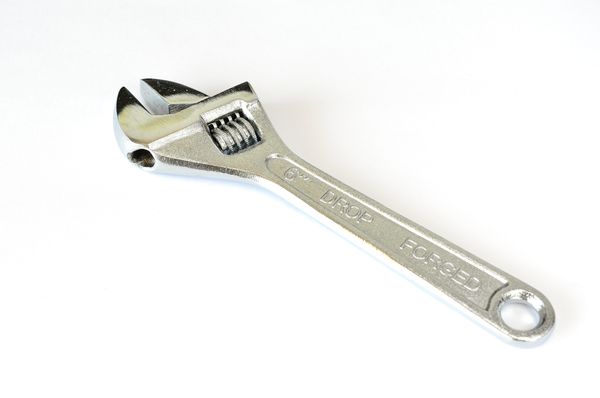
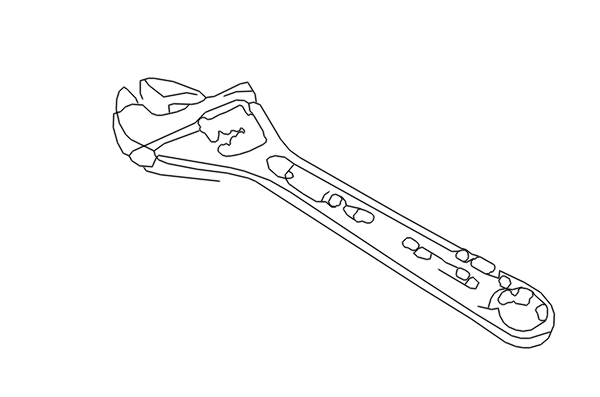
A real result, traced as Photo. Photo: Raysonho, Wikimedia Commons, CC0.
How it works
Choose Photo. First, a small model on our own server finds the subject and cuts it out of its background. Then a second one finds its edges, and Piclines traces them into lines. No outside AI service sees your photo, and nothing is redrawn or invented: the lines are the edges in your picture.
Good photos for it
- One object, filling most of the frame.
- A plain background that differs from the object — a white sheet, a table.
- Even light, little shadow.
Busy photos work too — a house, a pet on the grass — but give more lines to clean up. Choose Keep the background if you want the whole scene.
What it is for
Engraving a picture of a thing, a template to cut around, an outline to start a drawing from. A photo is not a measured drawing: for an exact part, measure it, and use the lines as a guide.
The size
Click two points whose distance you know — the ends of the object, a ruler in the photo — and type it. The drawing scales to match.
More uses