Piclines · picture to lines
Sketch to CAD, from a photo.
Photograph your pencil sketch on the desk. Piclines keeps the drawing's lines, drops the paper and the desk, and hands you DXF and DWG to finish in CAD.
JPG, PNG, WebP or PDF · up to 20 MB · deleted after 24 hours
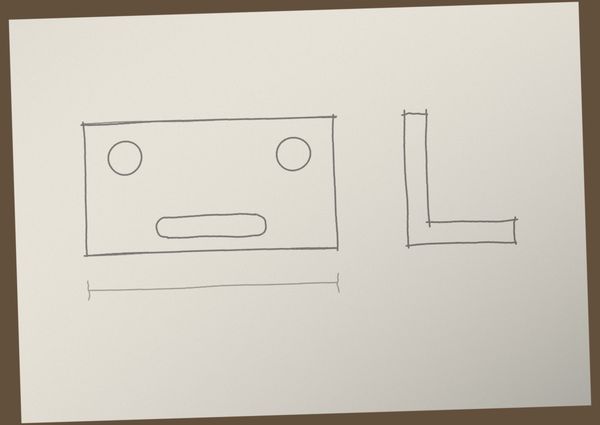
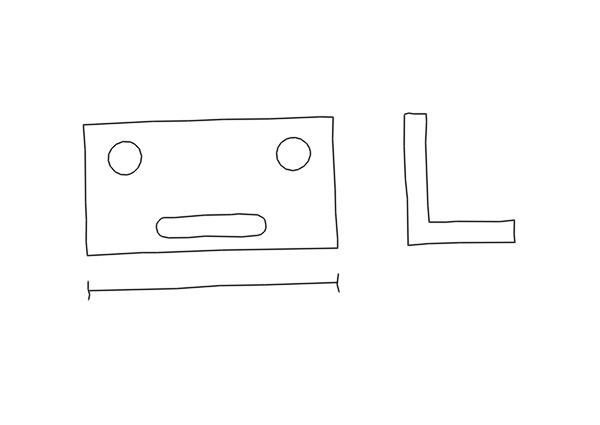
A real result: a sketch photographed on a desk, with uneven light and the paper's edge in the frame, traced as Drawing.
A starting point for the drawing
A sketch is quick; drawing it again in CAD is not. Piclines turns the sketch into lines you can snap to, trim and dimension, so you start from your idea instead of an empty drawing.
What it handles
- Uneven light and shadows on the paper.
- The paper's edge and the desk around it — left out.
- Wobbly, overshooting and retraced pencil lines — each becomes one line along its middle.
Tips for the photo
- Hold the phone straight above the paper, so the sketch isn't distorted.
- Daylight without a hard shadow from your hand or phone.
- Dark pencil or a fine pen; very light lines may be taken for paper.
The size
Click the ends of one line whose length you know and type it; the whole drawing scales with it. A sketch isn't exact, so the lines are a base to work on, not a finished part.
More uses