Piclines · picture to lines
PDF to DWG, read as it was drawn.
A PDF page drawn in lines is taken over exactly, at the size of its paper. A scanned page is traced like a picture. Either way you get DWG, DXF and SVG.
JPG, PNG, WebP or PDF · up to 20 MB · deleted after 24 hours
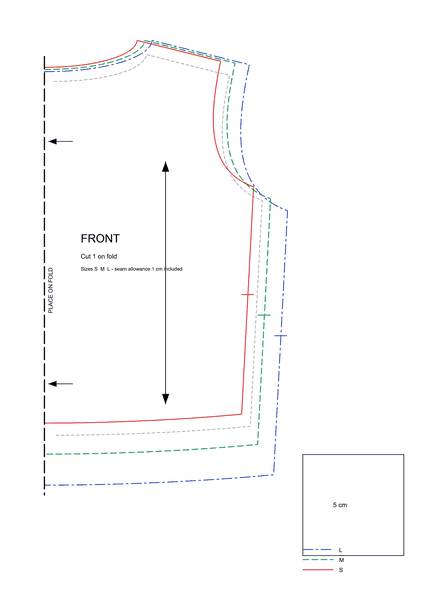
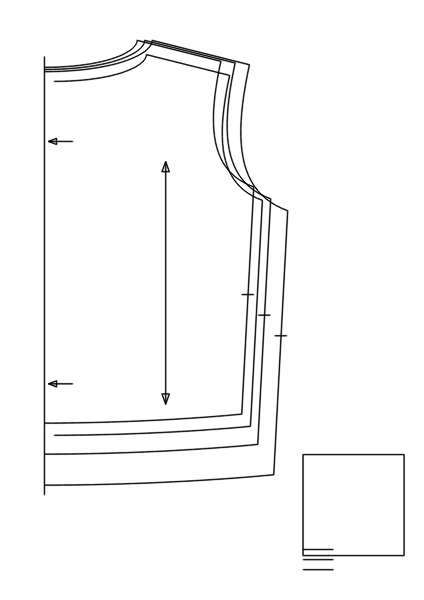
A real result: a vector PDF of a sewing pattern. Its lines are read as they are, so the 5 cm test square is 5 cm in the drawing.
Two kinds of PDF
Drawn in lines — exported from a CAD or drawing program, a pattern maker or a plotter driver. Piclines reads the lines themselves: nothing is traced, nothing is rounded. It says so on the page when it finds them.
Scanned — a photo of paper inside a PDF. Piclines renders the page and traces it like a picture, with the same single lines and outlines as for a JPG.
At the size of the paper
A PDF page knows its paper size, so the drawing comes out at that size in millimetres: an A3 sheet stays an A3 sheet. If the drawing was printed to a scale such as 1:50, set the real size with two points whose distance you know, or type the width.
One page at a time
A PDF with several pages shows a page picker; each page is its own conversion. Files up to 20 MB.
Good to know
- Text in a PDF comes out as lines, not as editable text.
- The PDF and the result are deleted after 24 hours.
More uses